
How to Stake HASH on Provenance with Keplr Wallet
Keplr Wallet makes it easy to stake HASH tokens on the Provenance blockchain and participate in network governance. Earn rewards while securing the network with just a few clicks. Here's your complete guide to getting started.
How to Use Keplr Wallet
Prerequisites:
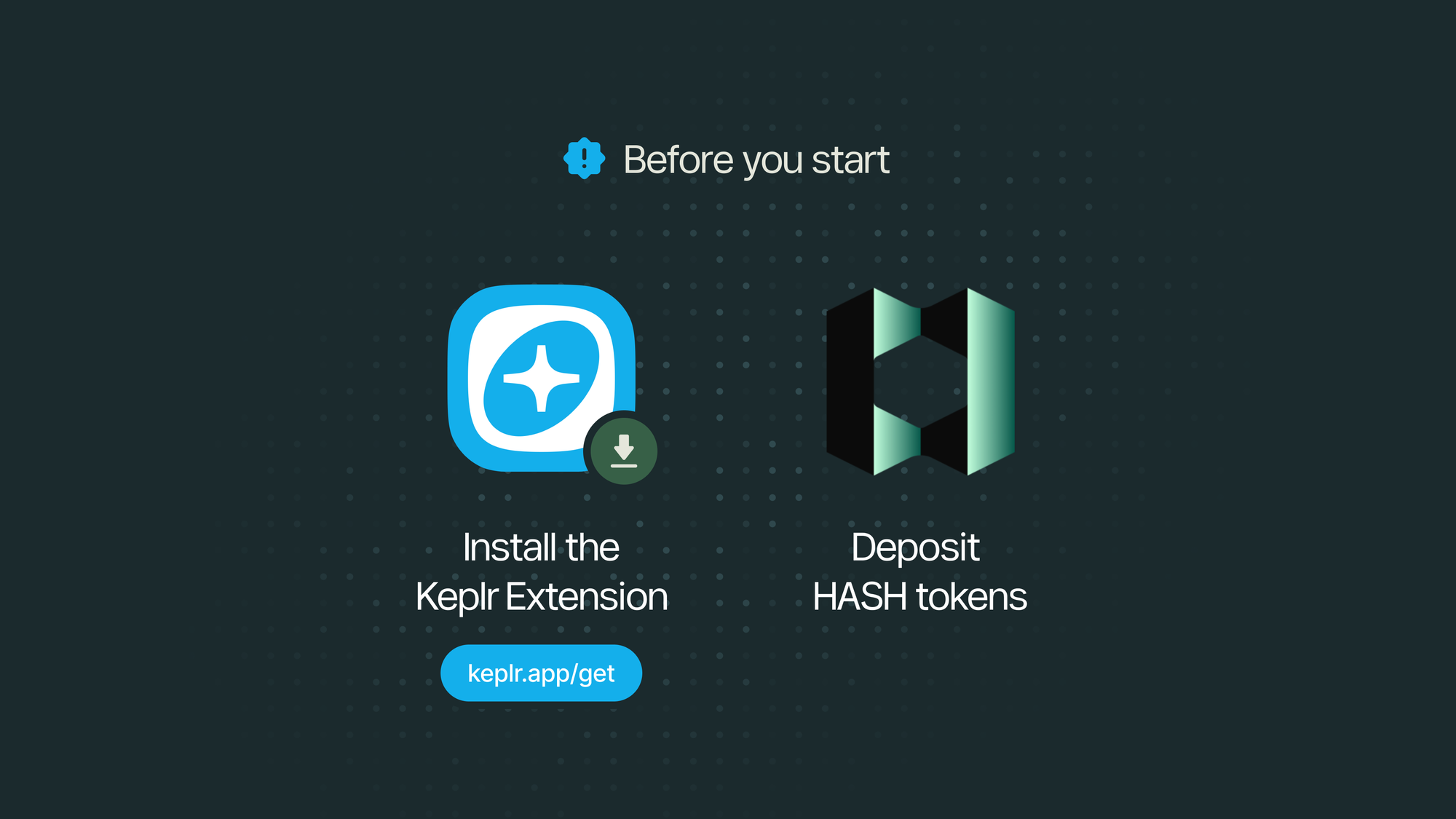
Before you start, make sure you’ve completed the following:
- Install the Keplr browser extension (& mobile app) and create a wallet account.
- Follow the setup guide here: Getting Started with Keplr Wallet
- Deposit HASH tokens in your Keplr wallet. You’ll need them available to stake on Provenance.
Connect to Provenance
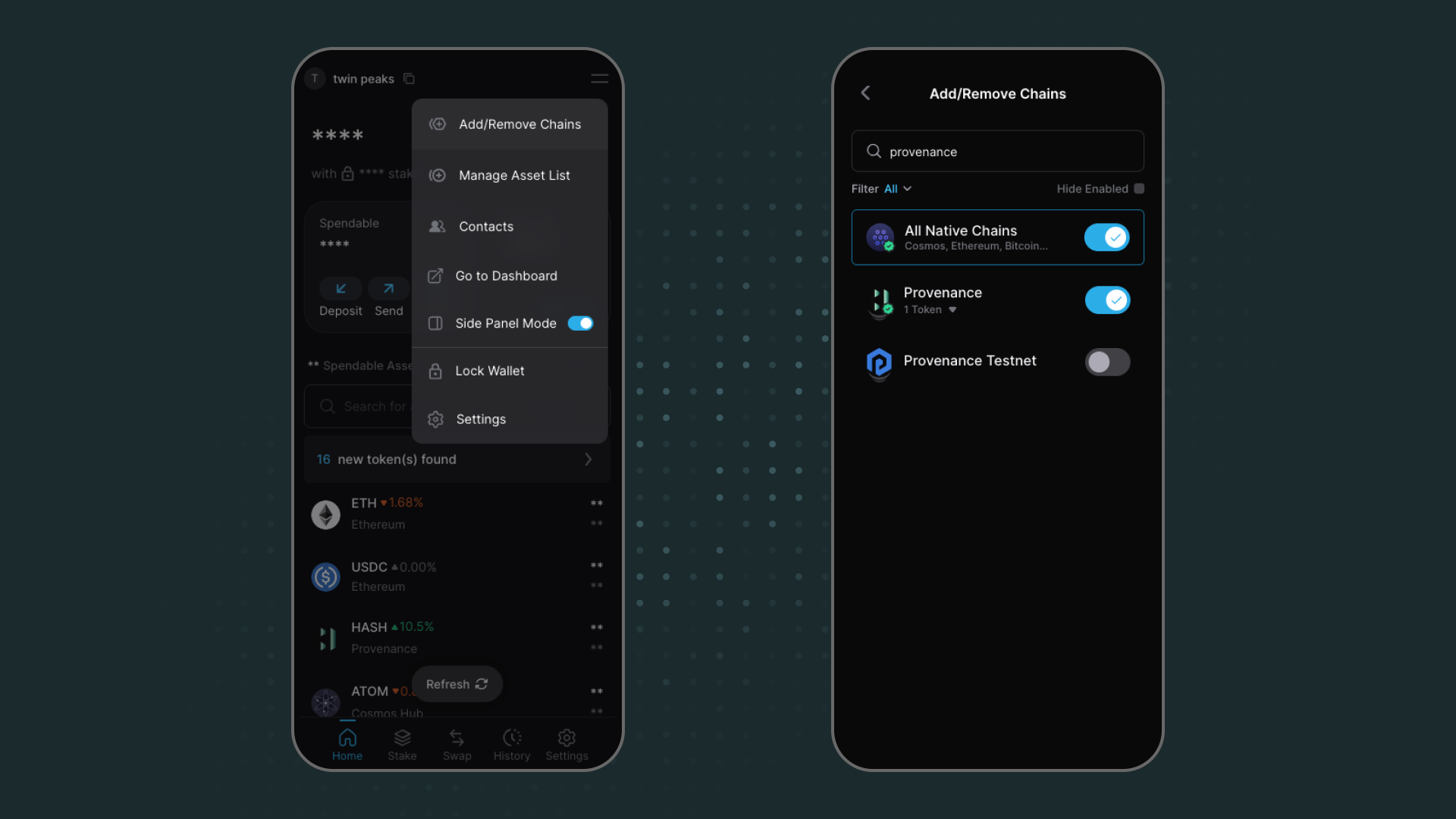
- Method 1: Home Search Bar → search Provenance → enable the chain.
- Method 2: Menu (☰) → Add/Remove Chains → search Provenance → Toggle.
- Method 3: Settings → Add/Remove Chains → search Provenance → Toggle.
How to Stake HASH on Keplr
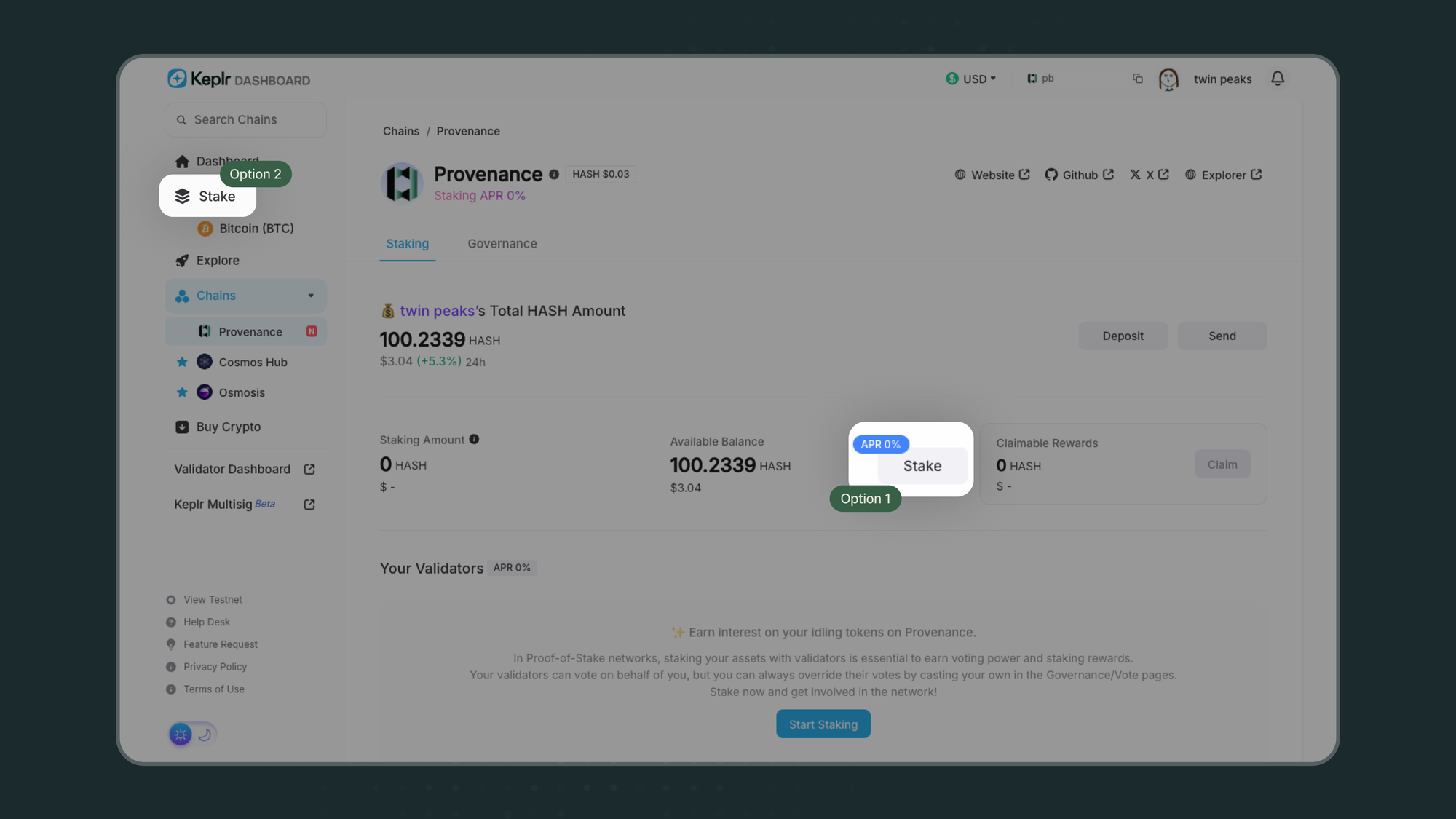
1.Open Keplr Dashboard
- Visit https://wallet.keplr.app/chains/provenance
- Click the grey “Stake” button displaying the APR.
- The Staking modal will open.
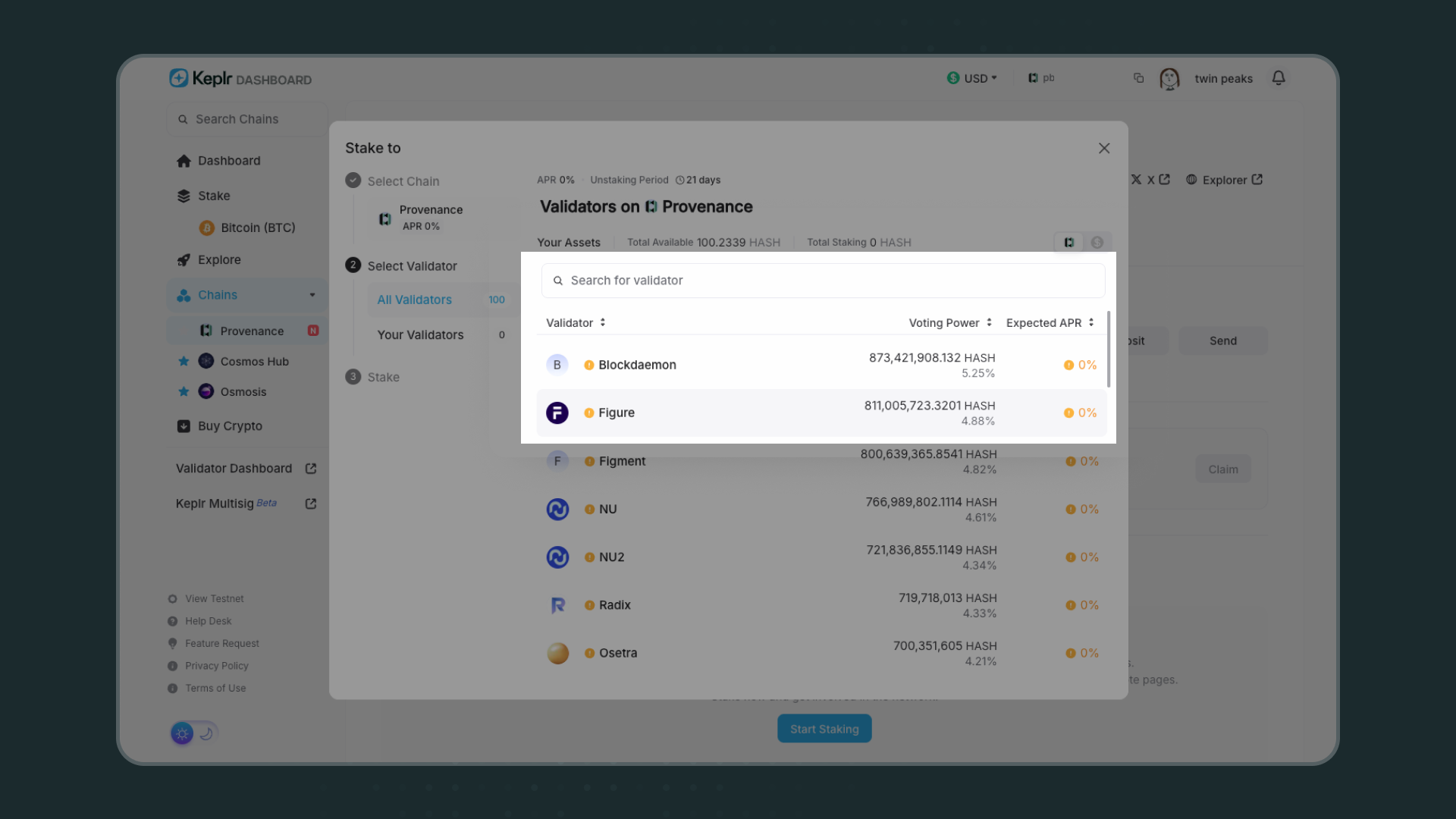
2.Choose a Validator
- In the search bar, type the name of the validator you wish to delegate to
- Click the validator name to bring up the Validator Overview panel.
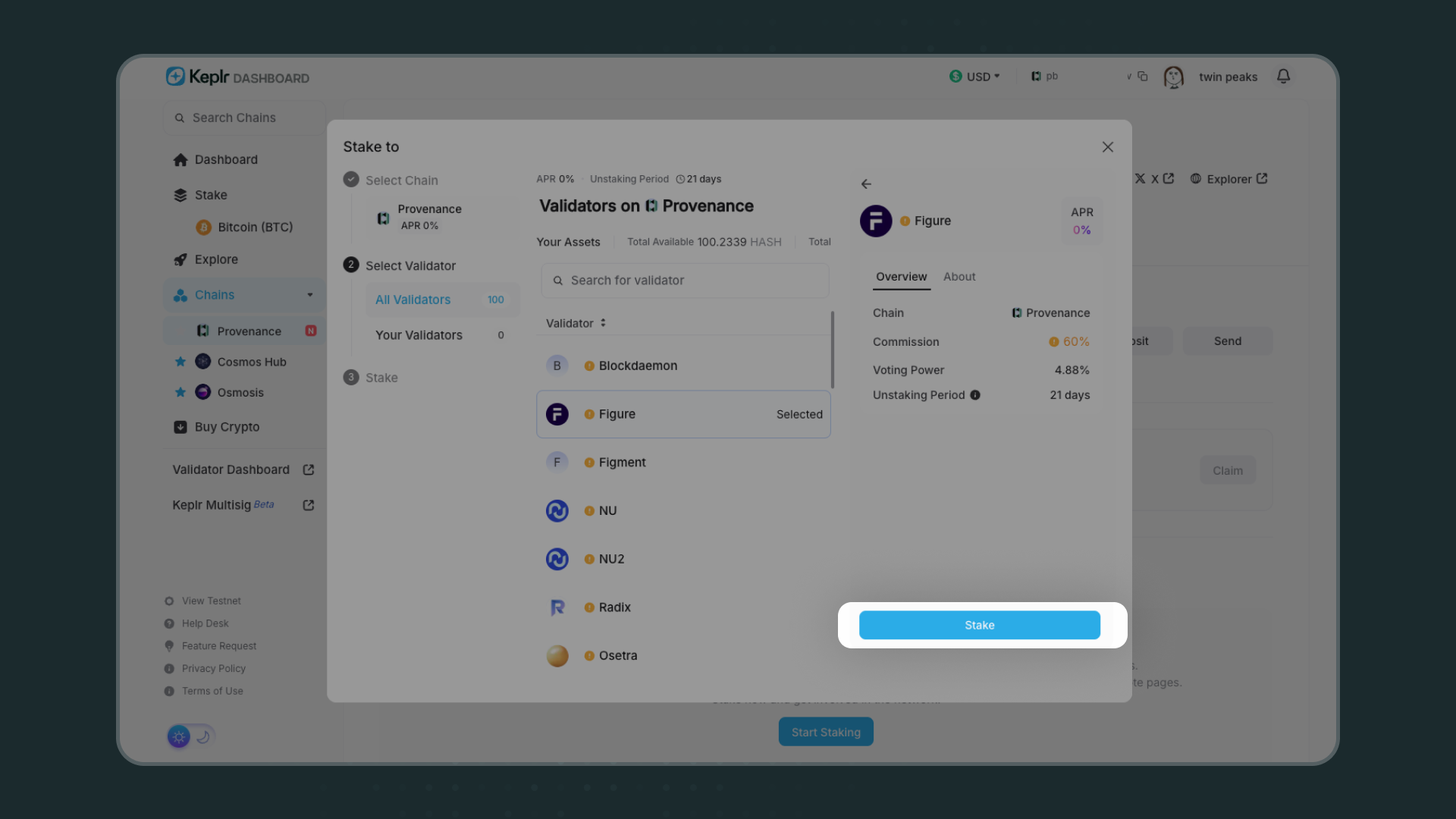
3.Stake Your Tokens
- Click the blue “Stake” button.
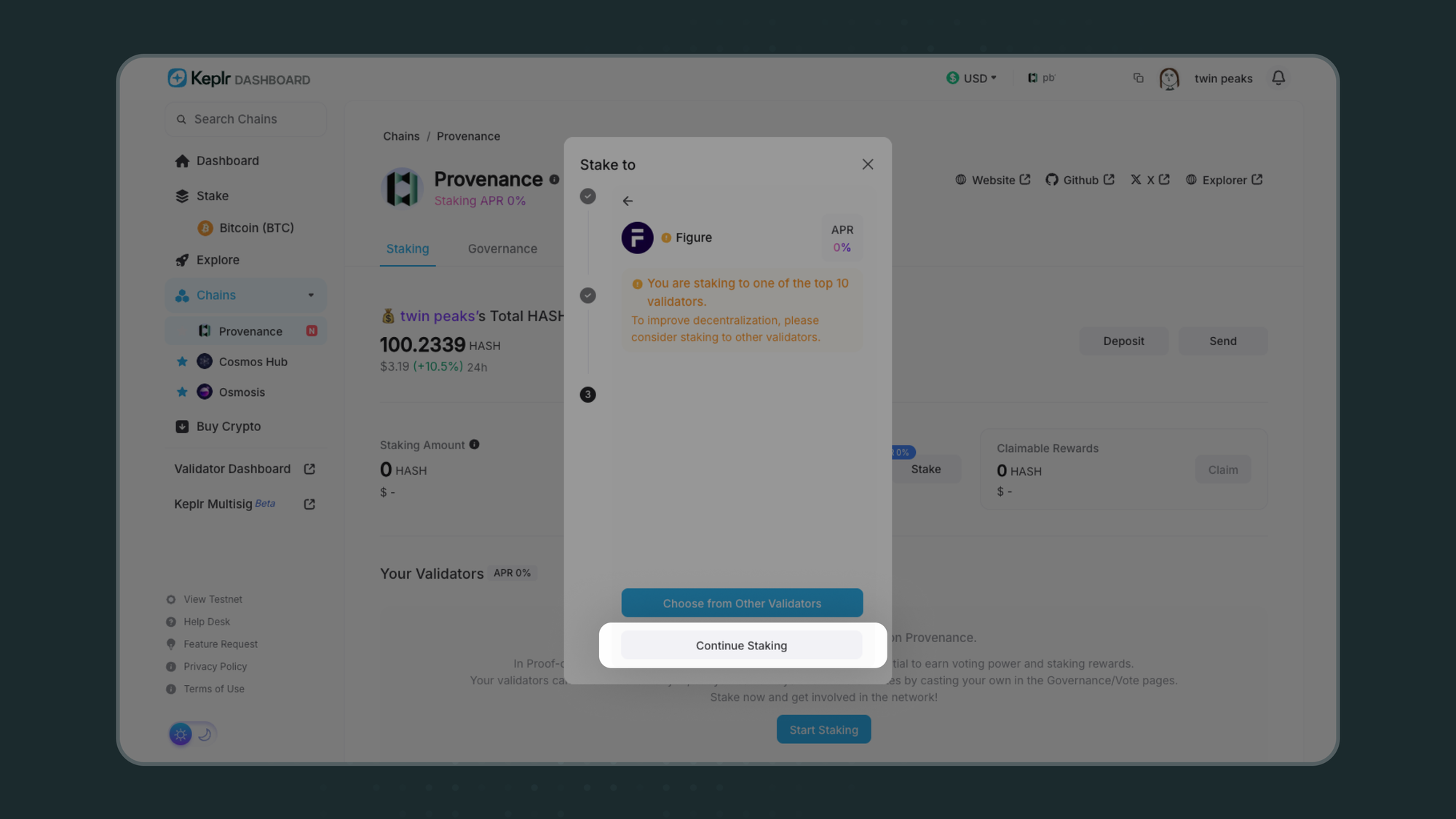
- Click “Continue Staking” again to proceed.
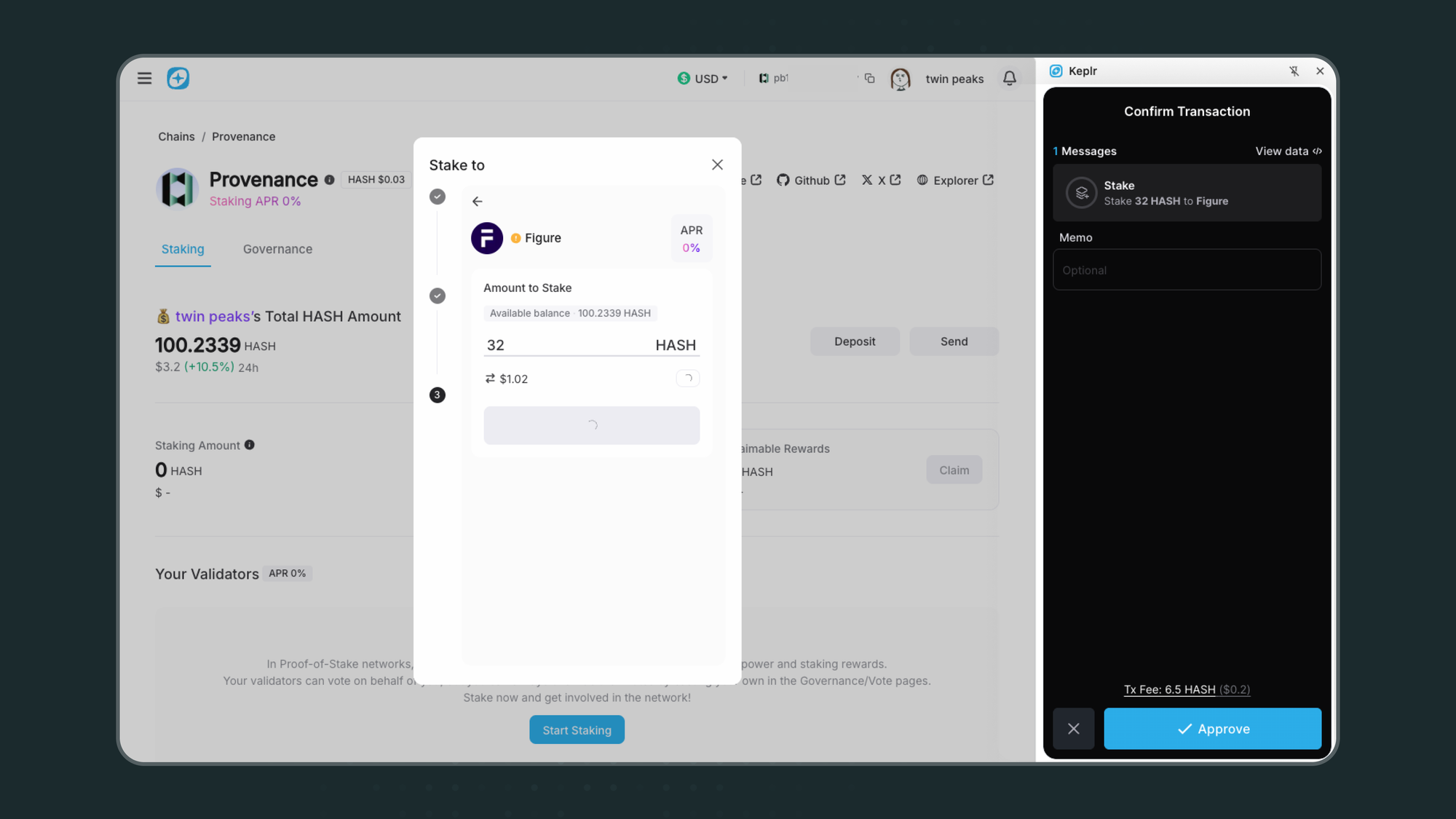
- Enter the amount of HASH tokens you want to stake.
4. Approve the Transaction
- Confirm Transaction on Keplr Extension by clicking “Approve.”
5.Check Your Staking Status
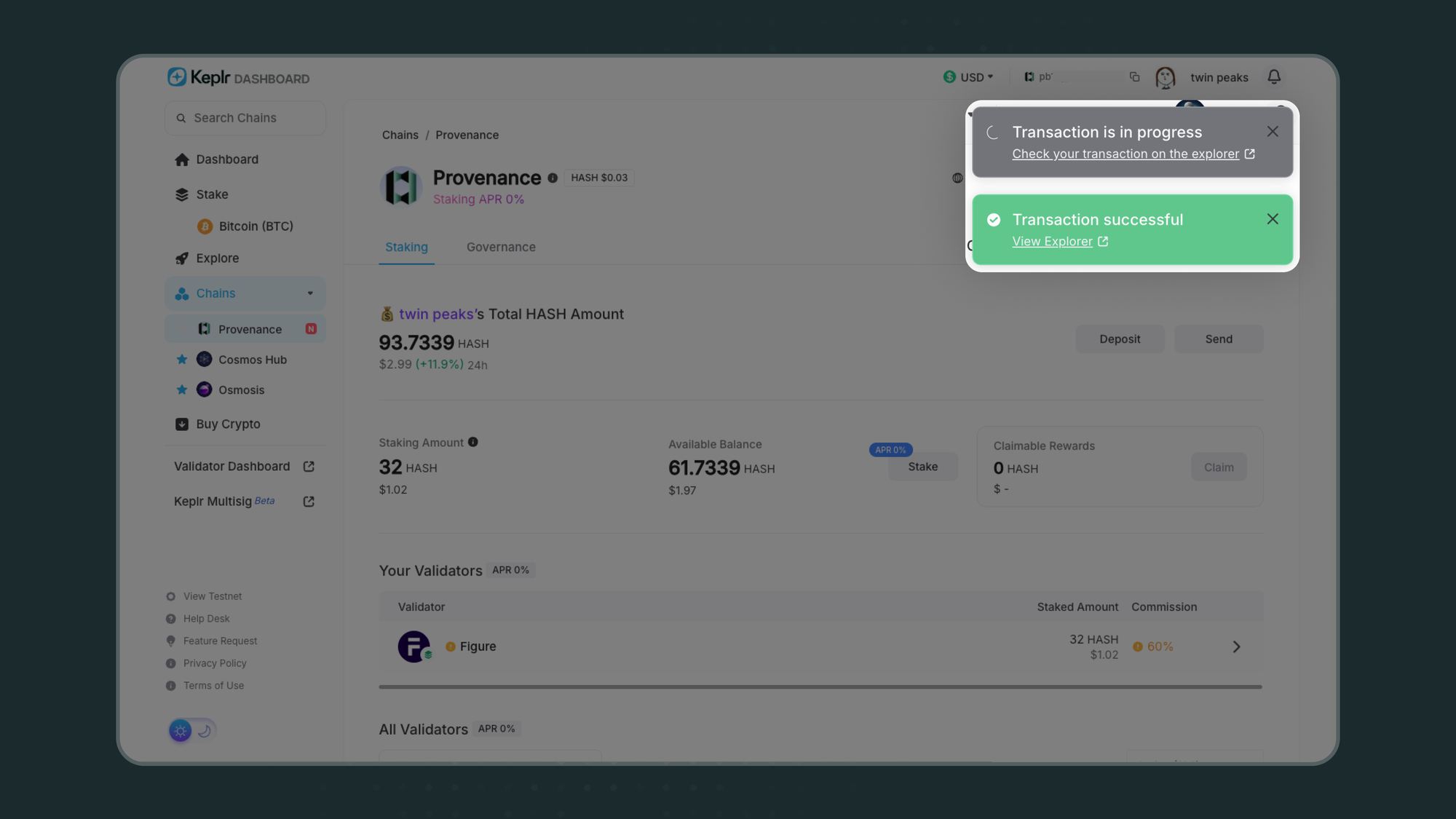
- Once confirmed, you will see a green pop-up with the transaction link indicating success.
- Return to your Provenance Portfolio
- Your staked validator will appear under “Your Validators”
6.Claim your Staking Rewards
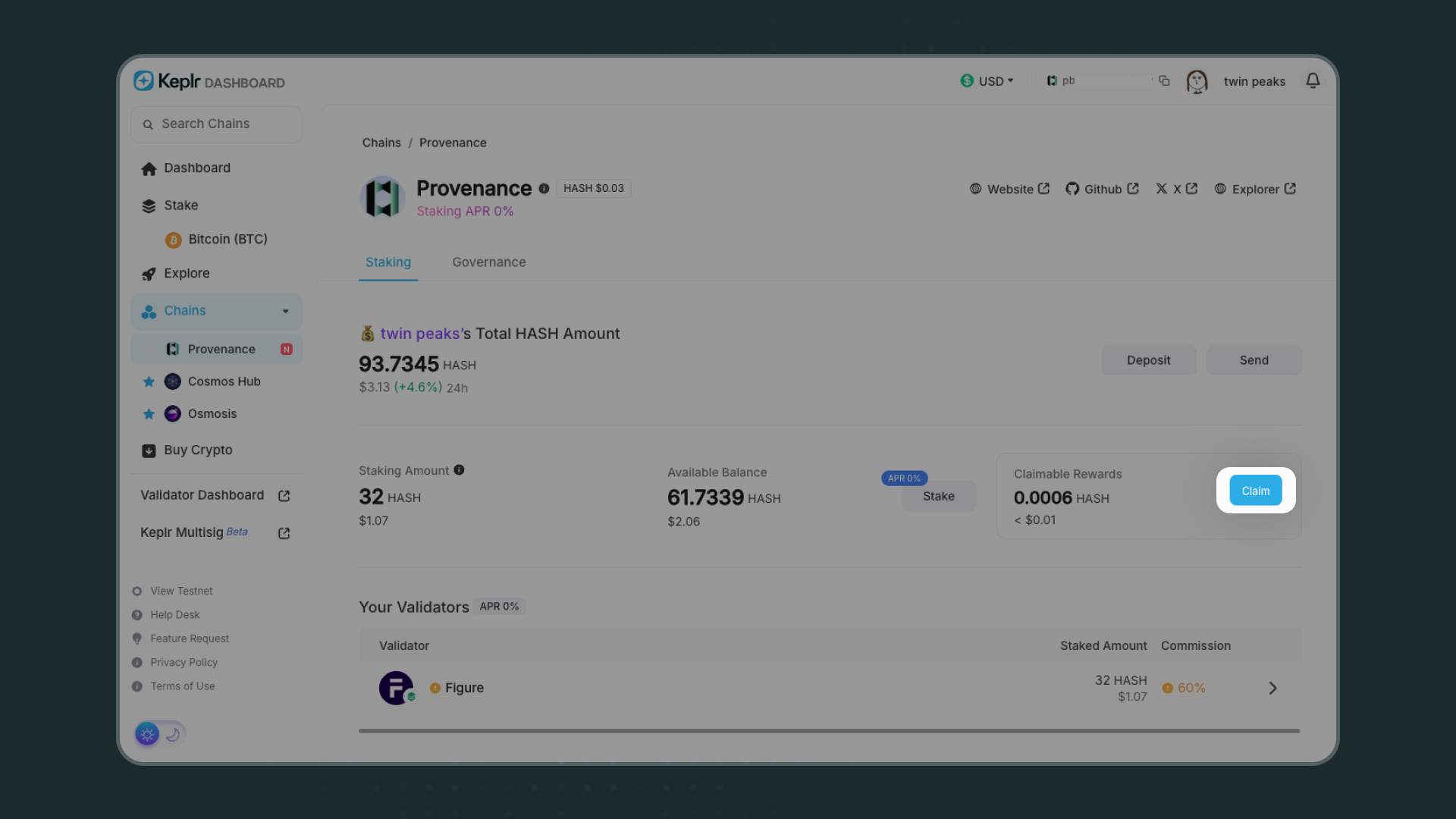
- Click the blue “Claim” button.
- Confirm Transaction on Keplr Extension by clicking “Approve” to claim rewards from your validator(s).
- Once confirmed, you will see a green pop-up with the transaction link indicating success.
How to Unstake HASH on Keplr
- You can always unstake by selecting the validator.
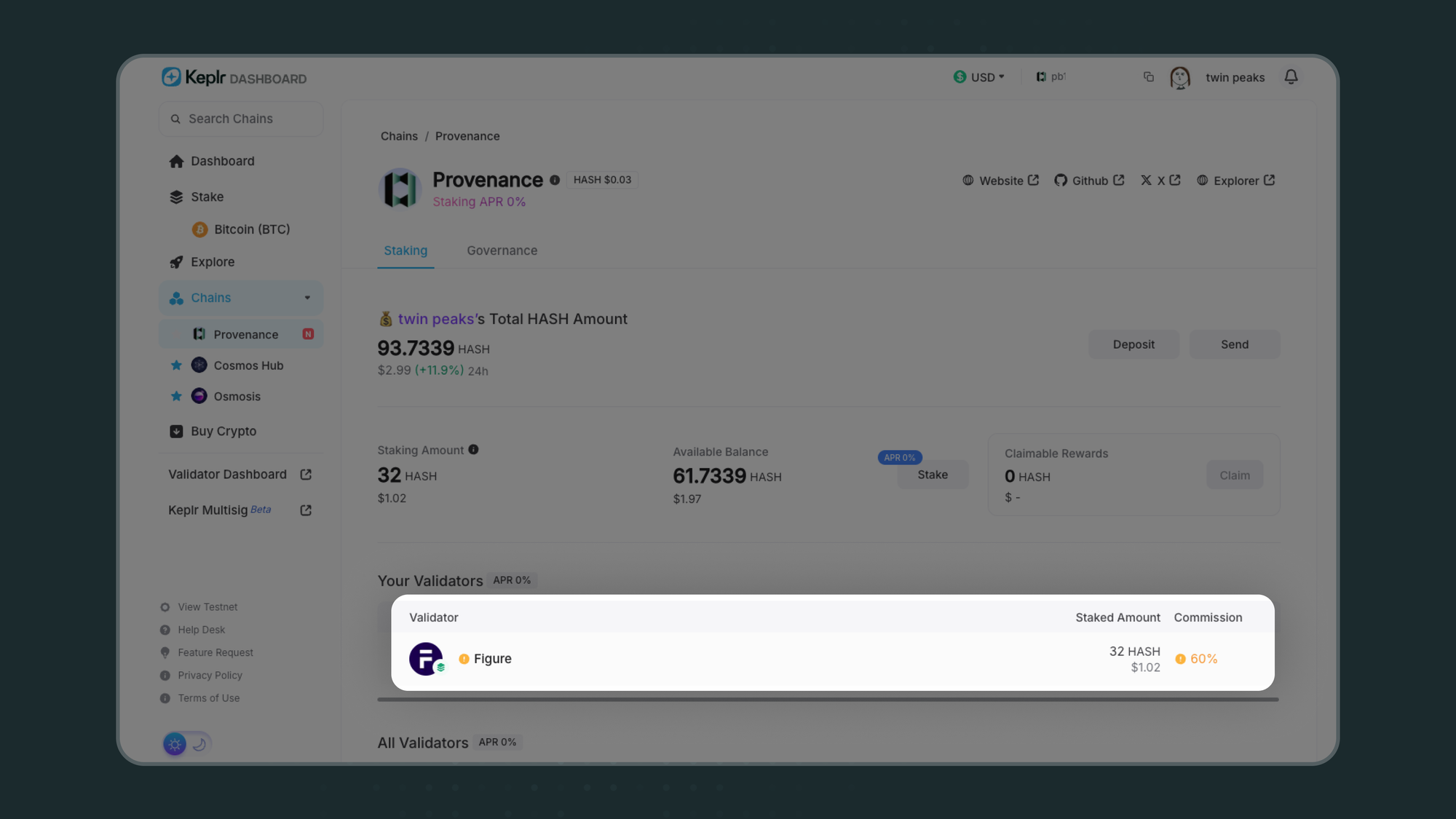
- Click the grey “Unstake” button.
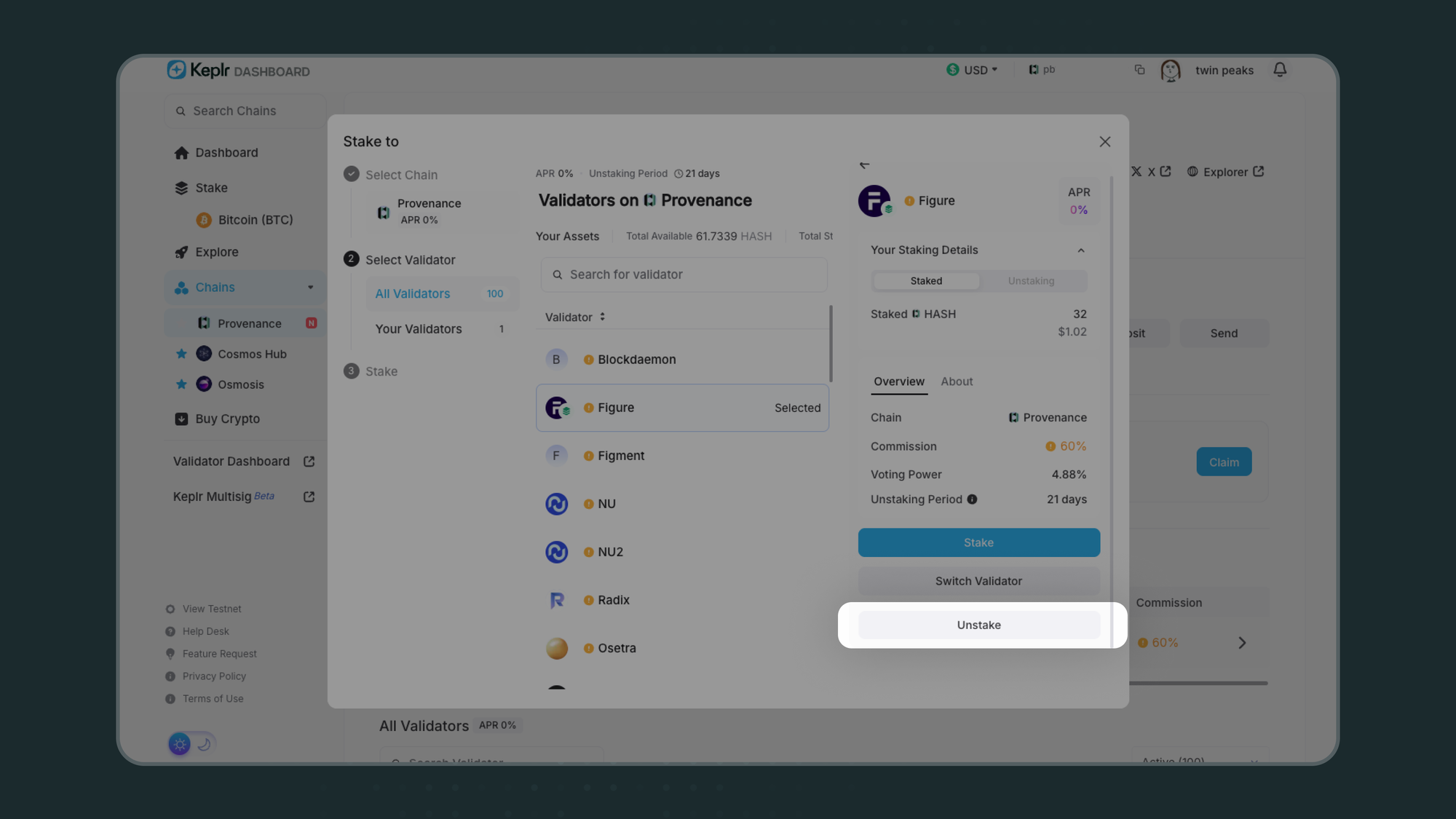
- Click the blue “Unstake” button.
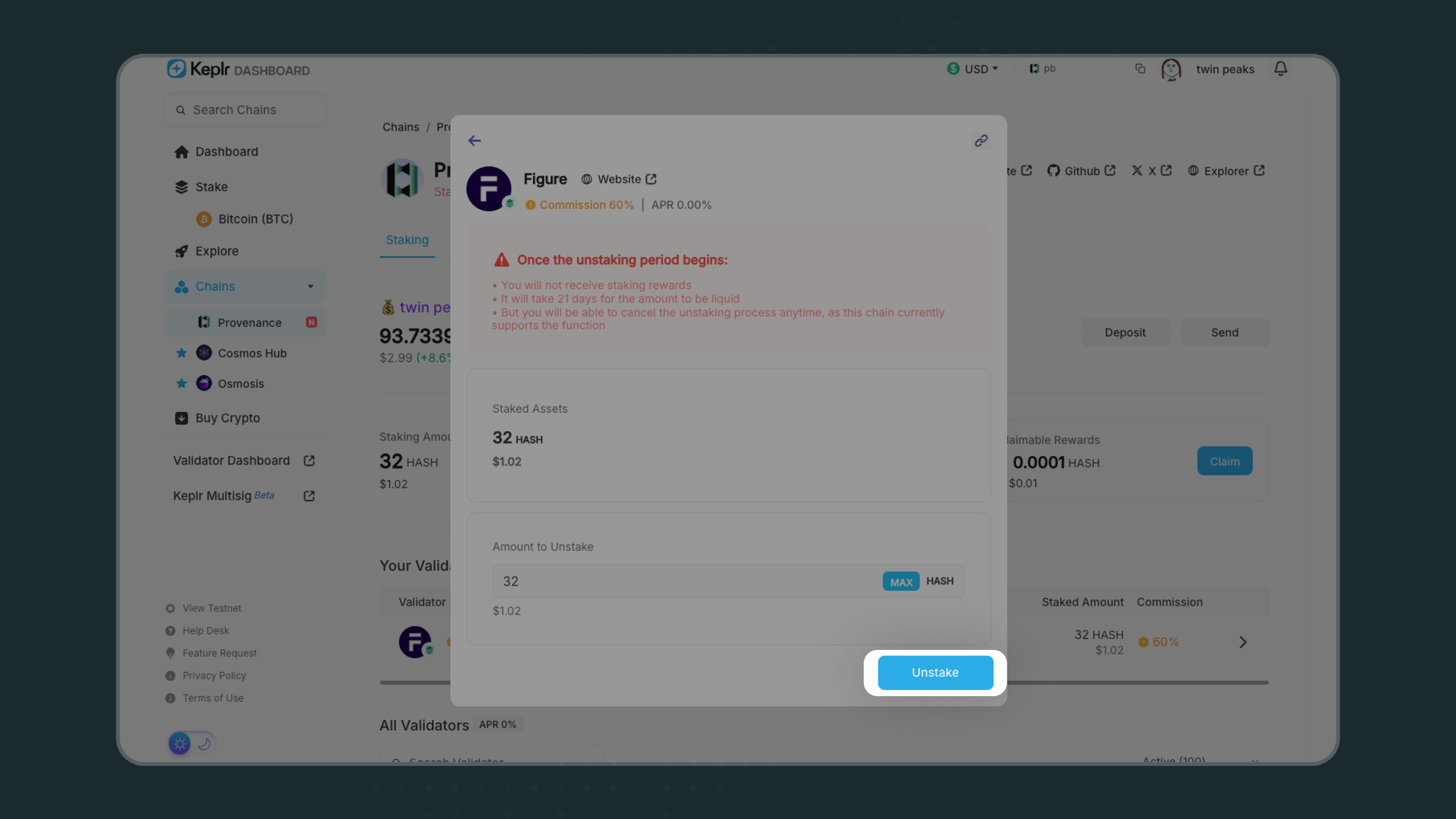
Note that once the unstaking period begins, it will take 21 days for the amount to be liquid. You will not receive staking rewards but you will be able to cancel the unstaking process anytime.
- Confirm Transaction on Keplr Extension by clicking “Approve” to unstake HASH from the selected validator.
How to Vote on Governance Proposals
- Visit https://wallet.keplr.app/chains/provenance
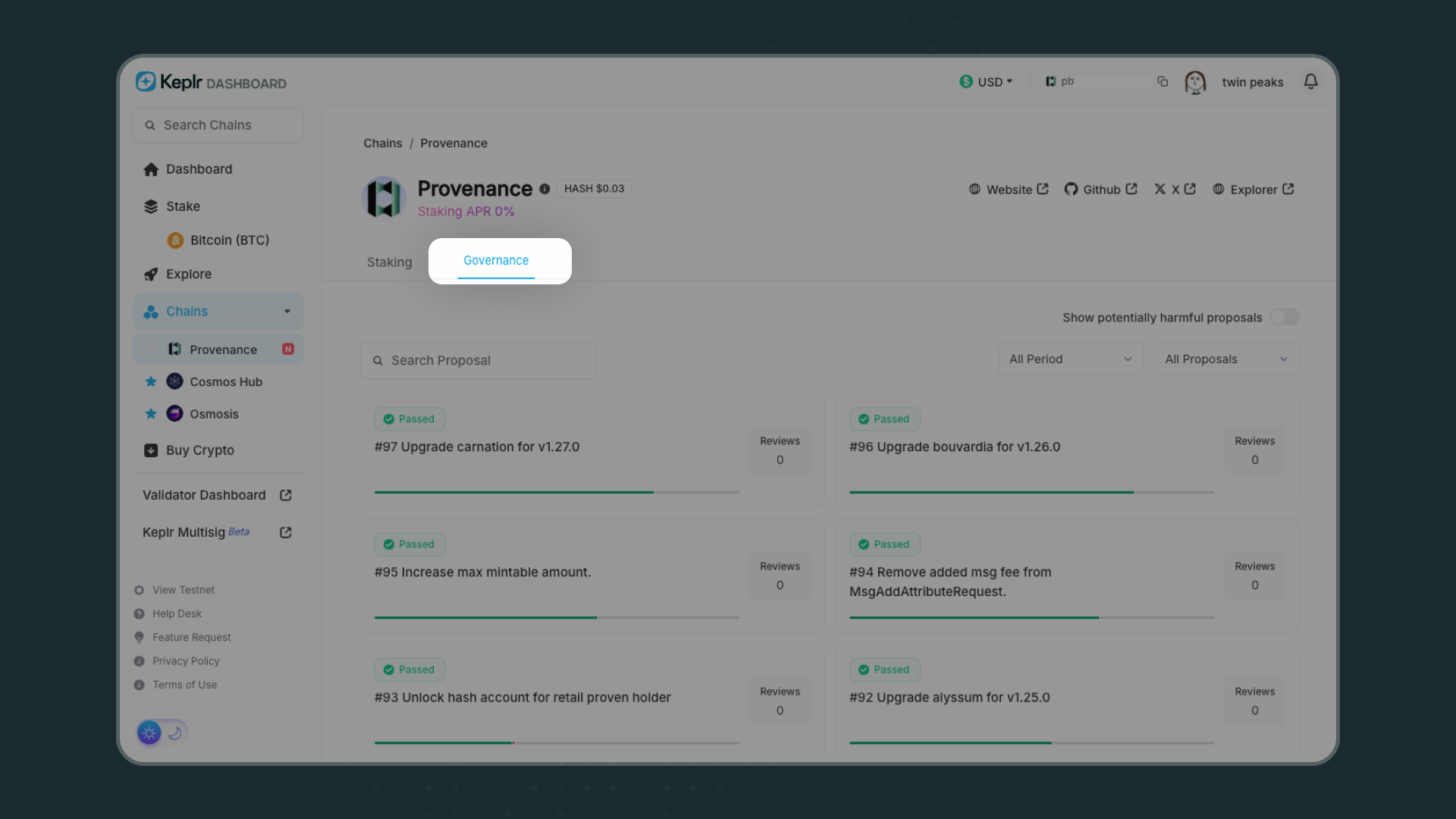
- Click on the “Governance” tab to see all proposals. Click on individual proposal cards to vote, check progress, and see reviews in different languages.
Start staking HASH on Provenance with Keplr Wallet. Download Keplr to earn rewards and participate in governance.
Learn more about Provenance blockchain | Read the Keplr x HASH announcement